Signing in
Signing in with your Volt account, creating one, and resetting a forgotten password.
Volt needs a Volt account with an active subscription. Until you sign in it shows only the sign-in page.
Creating an account takes a license key, bought from the official Volt website, voltbz.net. Continuum and the Volt for Linux download are free, but Volt itself does not run without a key, and there is no way to use Continuum for Roblox without Volt.
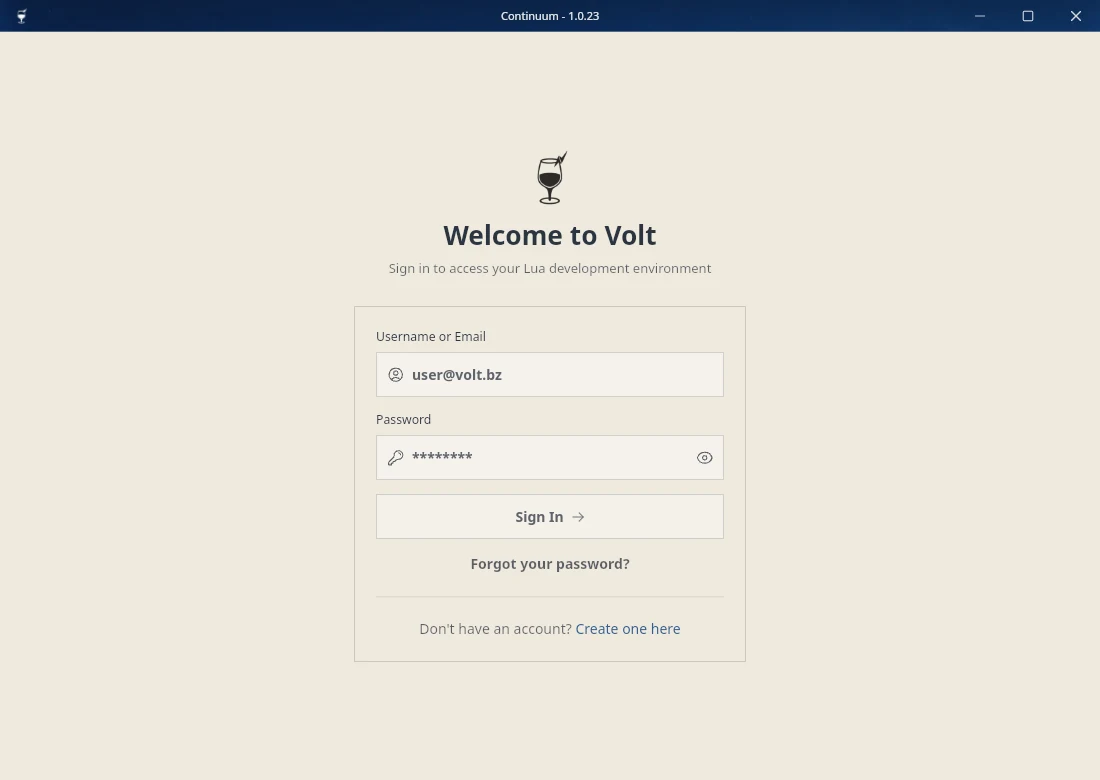
Signing in
Enter your Username or Email and Password, then press Sign In. The eye button in the password field shows what you typed.
Volt keeps you signed in between starts, in ~/.config/volt-linux/auth.json, readable only by you. It never stores your password. To sign out, open Account in the activity bar and press Sign Out under Security.
Creating an account
Create one here, below the sign-in form, opens Join Volt.
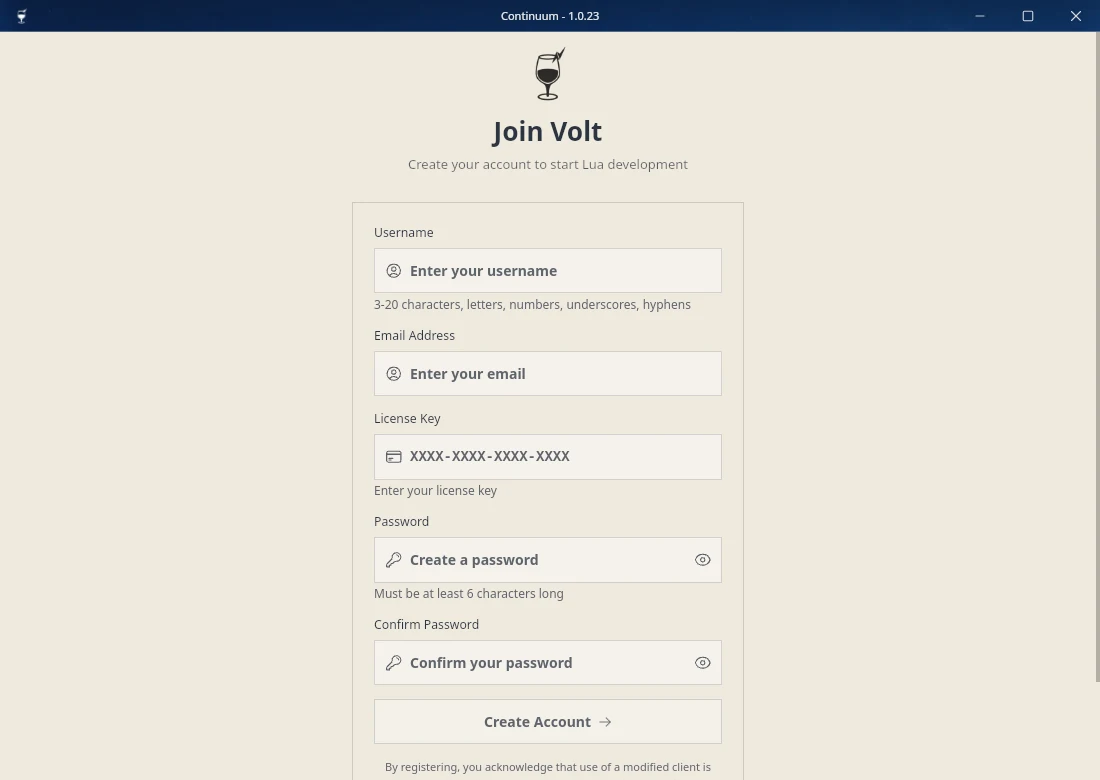
| Field | What it takes |
|---|---|
| Username | 3 to 20 characters: letters, numbers, underscores and hyphens |
| Email Address | Where password reset codes go |
| License Key | A key in the form XXXX-XXXX-XXXX-XXXX, bought from voltbz.net |
| Password / Confirm Password | At least 6 characters, typed twice |
Press Create Account. You are signed in straight away. Already have an account? Sign in here goes back.
Forgotten password
- Press Forgot your password? on the sign-in page.
- Enter your Email Address and press Send Reset Code.
- Enter the 6-digit code from the email under Verification Code and press Verify Code. Use different code lets you type it again.
- Enter a New Password, confirm it, and press Reset Password. Then sign in with it.
← Back to Login leaves the reset at any step.
If signing in fails
- "Login Failed" with a reason: the username, email or password is wrong. Check the keyboard layout and Caps Lock.
- A network error: Volt could not reach Volt's servers. Check your connection; a firewall or DNS filter that blocks
voltbz.netstops Volt from signing in. - Signed in, but "Subscription Expired": claim a new key on the Account page.