Your account
Your Volt profile, claiming license keys, resetting your hardware ID and signing out.
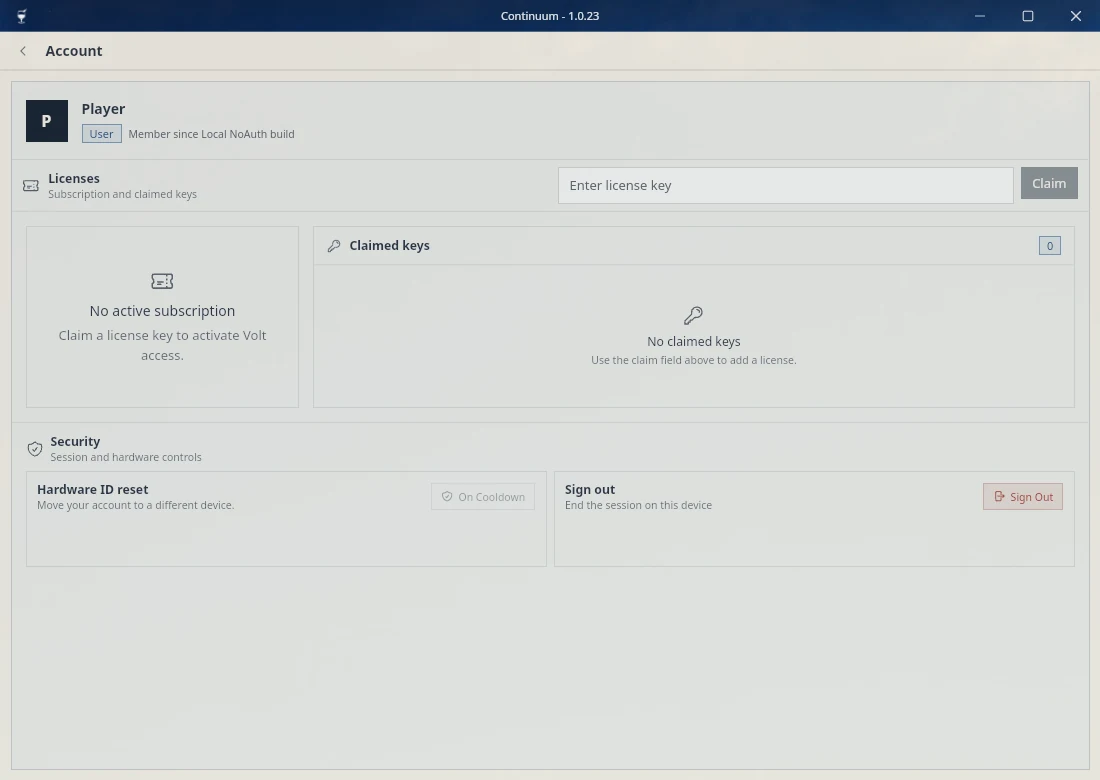
The Account icon in the activity bar opens your account page. Back, at its top left, returns to the editor.
Profile
Your initial, username, email, role and the date you joined. With Privacy Mode on, the email is blurred until you click it, which keeps it out of screenshots and streams.
Licenses
Current subscription shows how much time is Remaining, when it Started and when it Ends. With no subscription it reads "No active subscription".
To add time, buy a key from voltbz.net, paste it into Enter license key and press Claim. Claimed keys lists each key you have claimed, with when you claimed it and when it expires.
Security
Hardware ID reset
Volt ties your account to one device. Moving to another computer, or a reinstall that changes what Volt sees of your hardware, needs a reset: press Reset HWID. Resets are limited to one every 24 hours; until the next is allowed the button reads On Cooldown and the page says when it becomes available.
Sign out
Sign Out ends the session on this device and returns to the sign-in page.